

TL;DR
You found a productivity skill that automates your busywork. You click “Run.” But did you check what is inside the box? Security researchers from Cisco recently found that one in four AI Agent Skills circulating in community marketplaces contains critical vulnerabilities. The ecosystem is growing faster than the defenses, and bad actors are exploiting the “consent gap”—where a single approval grants an agent silent access to your files, network, and credentials.
From ransomware hidden in a harmless-looking GIF creator to scripts that quietly exfiltrate your data through authorized APIs, the threats are real. But you are not powerless. This guide peels back the layers of a SKILL.md file, teaching you to spot the red flags that most users miss. You do not need to be a developer to protect yourself; you just need to know where to look. Discover why your environment is the “blast radius,” how to use free tools like Snyk’s Agent Scan, and the exact checklist you need to verify a skill before letting it inside. Don’t just trust the label—verify the contents.
The Itch: Why This Matters Right Now
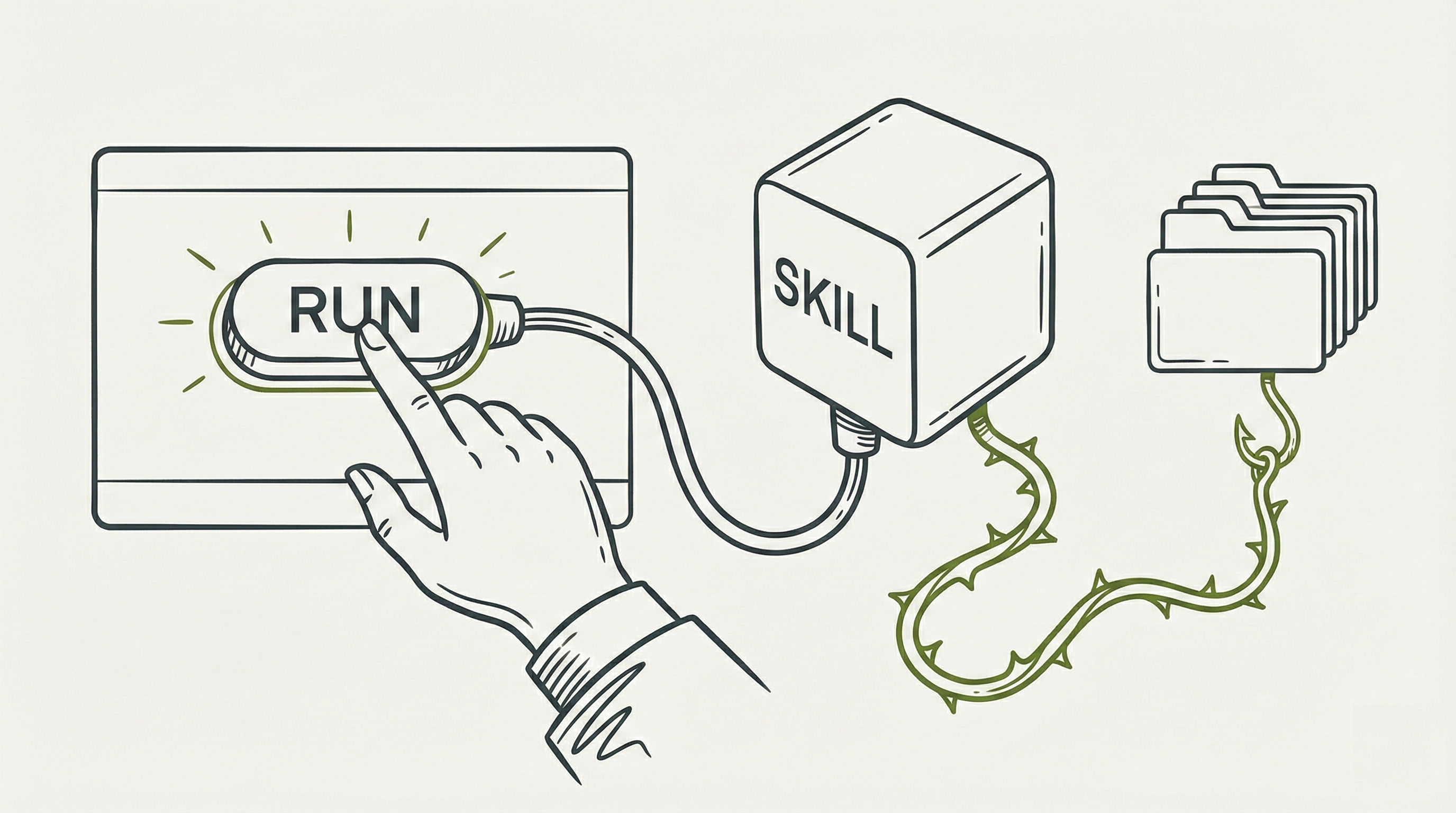
You found a skill on a community marketplace. It promises to automate your weekly status reports: pull data, format it, drop a polished doc in your folder. You click “Run.” Claude gets to work. And just like that, a stranger’s instructions are executing inside your environment, reading your files, potentially reaching out to the internet.
You trusted the label on the box. But did you check what was inside it?
I want to walk you through something that security researchers have spent the last six months pulling apart, because the numbers should make you pause. When Cisco’s AI Threat and Security Research team scanned over 31,000 skills circulating in community registries, they found that more than one in four contained at least one security vulnerability. That is 26.1% of everything sitting on the shelf, waiting for someone to install it. And the shelf is growing fast: within three months of launch, over 98,000 skills had been indexed across community marketplaces, with no universal review process standing between them and your machine.
Here is the uncomfortable part. An Agent Skill is, at its core, a set of instructions that tells an AI agent what to do, which tools to use, and what code to run. The agent treats those instructions with high trust by default, similar to the way it treats its own system instructions. If the skill says “execute this script,” the agent will try. If the skill says “read these files,” the agent will reach for them. AI agents are not suspicious by nature. They are cooperative. That cooperation is the whole point of the product, and also the reason a bad skill is dangerous.
Anthropic’s own documentation puts it plainly: treat skills like software you are installing on your computer. And yet the gap between that advice and what most business users actually do before clicking “Run” is enormous. So let’s close it.
What Is an Agent Skill, Actually?
Before we go further, let’s open the box. Anthropic first introduced skills as a Claude-specific feature on October 16, 2025, calling them “Claude Skills.” On December 18, 2025, they published the specification as an open standard at https://agentskills.io (code licensed under Apache 2.0, documentation under CC-BY-4.0) and renamed the format to “Agent Skills,” reflecting that it was no longer tied to a single product. They gave the format away. Microsoft adopted Agent Skills within VS Code and GitHub Copilot. Cursor, Amp, Goose, OpenCode, and Roo Code adopted the standard at or shortly after launch. Google’s Gemini CLI added Agent Skills support in preview. OpenAI added skills to its Codex CLI documentation. A skill written for one of these tools can potentially run in any of them. This is no longer a Claude-specific concern; it is an ecosystem-wide one. You may still see the older “Claude Skills” name in some documentation, blog posts, and security research published before the rebrand.
So what is inside a skill? A folder. Inside that folder sits a text file called SKILL.md that contains instructions written in plain English (with a small structured header at the top). Some skills also bundle helper scripts (Python, Bash) and reference files alongside it. That is the entire package. There is no compiled software, no installer wizard, no binary you cannot read. The SKILL.md file is the brain of the operation; everything an AI agent does when it activates a skill traces back to what that file says.
The file is readable in any text editor: Notepad, TextEdit, VS Code, whatever you have. You do not need to be a developer to read it. The top of a well-written SKILL.md looks something like this:
---
name: PDF Document Helper
description: >
  Extract text and tables from PDF files, fill forms,
  merge documents. Use when working with .pdf files.
allowed-tools: Read, Grep, Glob
---

## Instructions
When the user asks to work with a PDF file, follow these steps...
That header block (between the two --- lines) is where the critical information lives. The name tells you what the skill calls itself. The description tells the AI agent when to activate it (and tells you what it claims to do). The allowed-tools line is the permission slip: it declares which capabilities this skill wants to use. A skill that only needs to read files will list Read, Grep, Glob. A skill requesting Bash, Write, WebSearch, Agent is asking for far broader access. That gap between what a skill says it does and what permissions it requests is the single fastest red flag you can check, and you can check it right now by opening the file in a text editor. Every audit in this guide starts here.
The format is spreading fast, but the specification is deliberately minimal on safety: no built-in security scanning, no certification process, no trust framework baked into the standard itself. Safety was left as a problem for the ecosystem to solve. Which means it is your problem to solve, too.
You might encounter skills shared on GitHub repositories, posted in community forums like Reddit or Discord, listed in emerging registries like skills.sh or ClawHub, bundled into vendor toolkits, or sent directly to you by a colleague. As of early 2026, there is no single official skill store with universal review standards. Some marketplaces have begun adding basic safety checks (ClawHub now requires accounts to be a week old before publishing, and flags skills with multiple community reports), but none offer the kind of vetted, curated experience you might expect from an App Store or a corporate software catalog. The ecosystem is more like early npm or the Chrome Web Store in its first years: fast-growing, largely self-policed, and full of both excellent tools and real dangers.
The Deep Dive: The Struggle for a Solution

The Consent Gap: You Approved the Front Door, Not the Back
In late 2025, Inga Cherny at Cato Networks’ Cyber Threats Research Lab (Cato CTRL) took one of Anthropic’s own open-source skills, the GIF Creator, and made a single surgical modification. She inserted a helper function called postsave that looked like a harmless cleanup step. In reality, it downloaded and executed an external script that delivered MedusaLocker ransomware.
The demonstration exposed a structural weakness that Cato CTRL named the “consent gap.” To understand it, you need to know how approval actually works in practice. When Claude encounters code it wants to run, it can ask for your permission. In the environment Cato CTRL tested (early Claude Desktop, late 2025), those guardrails were weaker: a single approval could grant broader latitude than the user realized.
Current versions of Claude Code and Claude.ai have stronger controls. Claude Code re-prompts for sensitive operations and its sandbox mode restricts what skills can access. Claude.ai’s code execution runs in an isolated virtual machine with no network access at all. These are meaningful improvements. But the core dynamic that Cato CTRL identified has not disappeared entirely. When you approve a code execution step, the skill can perform multiple actions within that approval window, and those actions may go further than what you previewed. A script that looks like it formats a document might also read other files in the same directory, or make network calls if the environment permits them. The gap is not “approve once, and the skill runs forever.” It is “approve once, and the skill can do more than you saw in the preview.”
IBM’s Cost of a Data Breach Report 2025 pegs the average ransomware incident at $5.08 million. One convincingly packaged skill, installed once by one employee, could be the trigger.
Silent Extraction: The Attack You Never See
If ransomware is the loud break-in, data exfiltration is the quiet one. Researchers Idan Habler (OWASP Agentic Security), Sagiv Antebi (Ben-Gurion University), and Vineeth Sai Narajala demonstrated two distinct methods for stealing data through a malicious skill. The first was visible (if you knew where to look): a markdown image tag that encoded stolen data into URL parameters and sent it outbound when rendered. Claude’s safety systems could sometimes catch this.
The second method was silent. A Python script inside the skill used an attacker-controlled API key to upload the victim’s files directly to the attacker’s account through Anthropic’s own File API. No approval dialog. No suspicious network popup. The data simply left.
Johann Rehberger, an independent researcher, found the lock that made this possible: Claude’s “Package managers only” network setting, which sounds restrictive, also allows connections to api.anthropic.com. That single allowlisted domain became the exfiltration highway. His technique for bypassing Claude’s safety refusals was disarmingly simple: he mixed the malicious code in with a batch of innocent print('Hello, world') statements, and Claude concluded nothing too dangerous was happening.
You Have Seen This Movie Before
The “trust this instruction set” problem is decades old, and every previous version ended badly before it ended well. Excel VBA macros took Microsoft 25 years to block by default. When they finally did in 2022, macro-based attacks dropped 66% within eight months. Browser extensions followed a similar arc: in 2023, a researcher found 34 malicious Chrome extensions with 87 million combined downloads that had survived in the Web Store for over six months, some listed as “Featured.”
The pattern is consistent: open ecosystems attract both builders and predators, review processes struggle to keep pace with volume, and the fix that eventually works is always a default-deny posture for untrusted instruction sets. The agent skill ecosystem is on the same trajectory, just compressed into months instead of years.
Red Flags You Can Spot Without Reading Code
You do not need to understand Python or Bash to catch the warning signs. These are the signals you can evaluate right now, with nothing more than your own judgment.
You cannot verify who made it. Cisco’s research found that a single malicious actor published 54.1% of confirmed bad skills by impersonating well-known brands. If the skill came from an anonymous GitHub account, an unverifiable author, or a marketplace listing with no history, that absence of identity is itself a risk signal. A legitimate skill author has a track record you can check.
The description is vague or generic. Open the skill and look at the description field in the header. If it says something like “Helps with tasks” or “For data analysis,” that is a problem for two reasons: it tells you almost nothing about what the skill actually does, and it tells the AI agent to activate on a wide range of requests it was never designed for. Compare that to a description like “Extract text and tables from PDF files, fill forms, merge documents.” Specificity is a sign of intent. Vagueness is a sign of either carelessness or concealment.
The permissions do not match the purpose. When you add a skill, you can see its allowed-tools field in the header. This is the permission slip. A “text formatter” that requests Bash execution, web access, file writing, and agent spawning is asking for the keys to the entire building when it only needs the copy room. A well-scoped skill requests the minimum: a read-only analysis tool lists Read, Grep, Glob and nothing more. If the permissions feel bigger than the job, trust that instinct.
The skill asks you to enter credentials or API keys. Snyk’s ToxicSkills study found that 10.9% of skills contain exposed secrets or hardcoded credentials. If a skill instructs you to paste your cloud login, API token, or any password into its files, walk away. Legitimate skills do not need your credentials baked into their instructions.
No one else in your organization has used it. If the skill did not arrive through your company’s admin-provisioned channel (which carries a visual indicator in the skills list), and no colleague can vouch for it, you are the test subject. That is a role you should choose deliberately, not stumble into.
The skill bundles files you cannot open or understand. Skills are supposed to be readable: markdown text and scripts. If a skill folder contains compiled binaries, compressed archives with unclear contents, or files you simply cannot make sense of, that opacity is information. You would not install desktop software you could not identify; apply the same standard here.
But Fernando, I’m not a techie, not a developer, what can I do? You can also run a free scan yourself, right now. Snyk, the software supply chain security company, offers a browser-based Agent Scan tool (https://agent-scan-web.vercel.app) where you can paste the contents of a SKILL.md file and get an instant security analysis. No installation, no terminal, no technical knowledge required. It checks against eight threat categories derived from Snyk’s ToxicSkills research, including prompt injection, malicious code patterns, credential theft, and remote code execution. The underlying scanning methodology (Snyk’s mcp-scan engine, which powers Agent Scan) achieved 90-100% recall on confirmed malicious skills with a 0% false-positive rate on the top 100 legitimate skills in Snyk’s testing. If you only do one technical thing from this entire guide, make it this: before you install a skill, paste its contents into Agent Scan and see what comes back.
For Technical Reviewers: Code-Level Red Flags
If you or someone on your team can read code, a quick scan of the bundled scripts will surface deeper signals that non-technical checks will miss.
Scripts that fetch and execute remote code. This is the exact pattern used in the Cato CTRL ransomware demonstration: download something from the internet, then run it. Look for curl, wget, or requests calls to unfamiliar domains in any bundled script.
Obfuscated code. Base64-encoded strings, eval() calls, or code that assembles commands by concatenating fragments: these are techniques designed to hide what the code actually does. Readable skills have readable code.
A mismatch between stated purpose and actual file access. If a “GIF Creator” includes scripts that reach for ~/.ssh or ~/.aws/credentials, the gap between the label and the behavior is the entire story. Cisco’s research quantified this: the strongest vulnerability co-occurrence pattern is Supply Chain combined with Data Exfiltration at 81%, meaning skills with supply chain risks almost always also contain data exfiltration patterns.
Automate what you can. Manual code review is valuable but slow. Cisco’s open-source Skill Scanner (github.com/cisco-ai-defense/skill-scanner) combines static pattern matching (YAML and YARA rules), behavioral dataflow analysis that traces how data moves through scripts, and optional LLM-powered semantic analysis. Running skill-scanner scan /path/to/skill --use-behavioral takes seconds and will catch patterns that a quick visual scan might miss. It outputs findings by severity (Critical, High, Medium, Low) and maps them to Cisco’s threat taxonomy. For teams reviewing skills regularly, integrating it into a CI/CD pipeline or a pre-commit hook turns a manual chore into an automated gate.
Your Environment Is the Blast Radius
The same skill behaves very differently depending on where you run it, and this is the single highest-leverage variable you control. Because the Agent Skills standard is now cross-platform, you need to understand the containment model of whichever tool you are using.
Browser-based sandboxes are the most contained. Claude.ai’s code execution sandbox blocks network access entirely, prevents package installation, and limits the skill to a temporary virtual machine. A malicious skill in this environment is trapped in a box with no phone and no exit. If your tool offers a cloud or browser-based execution mode, prefer it for untrusted skills.
CLI agents with sandboxing enabled are a step up in risk. Claude Code, Gemini CLI, and OpenAI’s Codex CLI all offer sandbox modes that restrict filesystem and network access. Claude Code uses bubblewrap on Linux and Seatbelt on macOS; Anthropic reports sandbox mode reduces permission prompts by 84%. Gemini CLI offers Docker-based container isolation or macOS Seatbelt profiles, with configurable write restrictions. Codex CLI defaults to a workspace-write sandbox that blocks network access unless explicitly enabled; its read-only mode keeps the agent purely consultative. The details differ, but the principle is identical: sandboxing limits what a skill can touch even after you approve it.
CLI agents without sandboxing, or desktop extensions, are the open frontier. Full filesystem access, full network access, full shell execution. A LayerX Security team found a zero-click vulnerability in Claude Desktop Extensions (CVSS 10.0, the maximum severity score) that could trigger remote code execution from a malicious calendar event. Ten thousand users were affected. The Tracebit team found a similar flaw in Gemini CLI where a whitelisted shell command could be chained with a semicolon to execute arbitrary commands without user consent. Google patched it, but the pattern is universal: unsandboxed environments make every vulnerability worse. Codex CLI’s --yolo flag (officially --dangerously-bypass-approvals-and-sandbox) runs everything without approvals or restrictions, and OpenAI’s own documentation warns to use it only inside externally hardened environments.
VS Code and Cursor occupy a middle ground. Skills loaded through .github/skills/ or .cursor/skills/ run within the editor’s agent framework, which inherits whatever permissions the editor and its terminal have. That is more constrained than raw shell access but less contained than a dedicated sandbox. The editor’s terminal tool provides controls for command approval, but the exact restrictions depend on your configuration.
Think of it this way: the skill is the passenger. The environment is the vehicle. You would not hand the keys to a sports car to someone you would not trust with a bicycle.
The Resolution: Your New Superpower
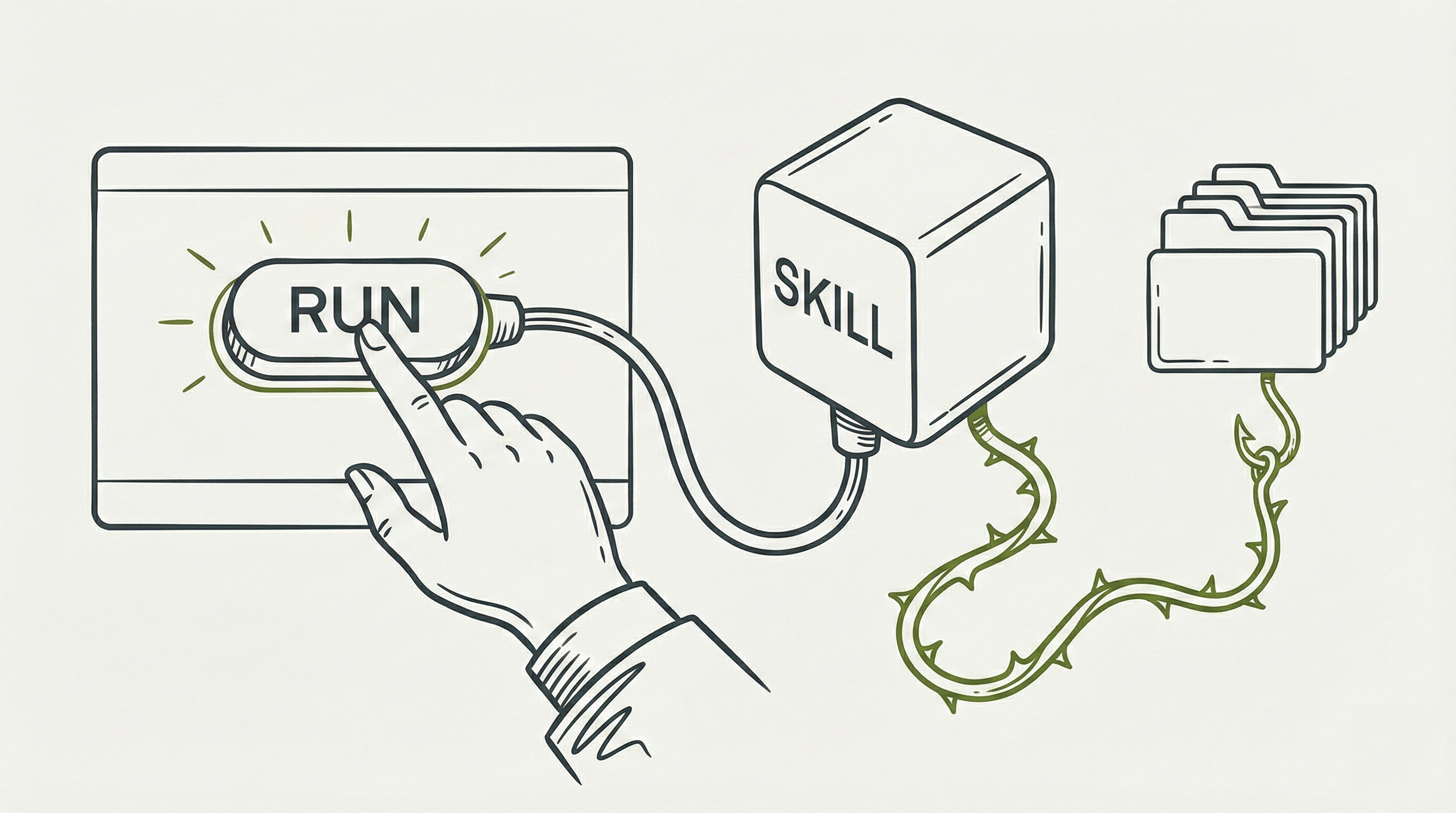
The good news: you already have the tools to protect yourself. The skill ecosystem is young, the threats are real, but the defenses are available today. Here is how to put them to work.
✓ The Pre-Installation Checklist: Print This and Use It Every Time
Question
□ Who wrote this, and can I verify their identity? Look for a named author, an organizational affiliation, and a track record you can check. An unknown author is an unverified author.
□ Has my security or IT team reviewed it? Skill authors should not be their own reviewers. If no one with security expertise has looked at it, you are the first line of defense.
□ Do the requested permissions match the described purpose? Open the SKILL.md. Read the
allowed-toolsfield. Compare it to the description. Any mismatch is a signal. Action: Does a text formatting tool list Bash execution or web access in its allowed-tools? If the permissions seem bigger than the job, that is a mismatch.□ Can I read and understand everything in the skill folder? Skills are markdown and scripts. If a skill contains files you cannot open or make sense of, that opacity is itself a risk. Action: Open the skill folder. Read the SKILL.md from top to bottom. Check for any .py, .sh, or .js files. If you find code you do not understand, that is a No.
□ Has anyone scanned it? Paste the SKILL.md contents into Snyk’s Agent Scan (agent-scan-web.vercel.app) for an instant check. For deeper analysis, ask your IT team to run the Cisco Skill Scanner (github.com/cisco-ai-defense/skill-scanner). Action: Copy the full text of the SKILL.md file, go to agent-scan-web.vercel.app, paste it in, and review the results before proceeding.
□ Is it pinned to a specific version? A skill that updates silently can change its behavior after you have already trusted it. Look for version numbers and checksum verification.
□ What data can it access in my environment? Know your blast radius. Claude.ai sandbox? Minimal risk. Local Claude Code without sandboxing? Your entire filesystem.
□ Has anyone else in my organization used it? Admin-provisioned skills carry visual indicators. If it came through official channels, someone upstream accepted responsibility.
□ What is the rollback plan? If something breaks or behaves unexpectedly, you need to be able to revert immediately. Keep previous skill versions as fallbacks.
If you answered No or Unsure to any question, do not install the skill until you resolve it.
For Organizations: Build the Guardrails Before You Open the Gate
For Business Leaders: What to Ask Your IT Team
You do not need to understand SARIF output or YARA rules to drive the right outcomes. You need to ask the right questions and make sure the answers become policy.
“Do we have a process to review skills before employees use them?” If the answer is no, any employee can install any skill from any source, and you have no visibility into what is running. A review process does not need to be complex: it needs to exist. At minimum, it means someone with security awareness looks at a skill before it goes into production.
“Are we using the most secure environment settings available?” Sandboxed environments dramatically reduce what a malicious skill can do. If your teams are running Claude Code without sandboxing enabled, they are giving every skill full access to their filesystems and networks. Ask whether sandbox mode is on by default.
“Do we know which skills are currently in use across our teams?” If you cannot answer this question, you cannot assess your exposure. An approved skills registry (even a shared spreadsheet to start) gives you a single source of truth.
“Who is responsible if a skill causes an incident?” Clear ownership prevents the “I thought someone else checked it” gap. Assign responsibility for skill approval, and make sure skill authors are never their own reviewers.
For IT and Security Teams: Technical Controls to Implement
Before deployment: run every third-party skill through the Cisco Skill Scanner before it reaches end users. The scanner supports batch mode (skill-scanner scan-all /path/to/skills --recursive) and produces SARIF output that plugs directly into GitHub Code Scanning, so flagged skills surface as alerts in pull requests rather than as surprises in production. Establish separation of duties so the person who builds a skill is never the one who approves it. Pin to specific versions. Compute and verify checksums.
At the environment level: activate Claude Code’s OS-level sandbox. Block curl and wget by default. Restrict filesystem access to the current working directory. Use network allowlists, not blocklists. For the highest security bar, run Claude Code on the web (Anthropic-managed VMs) rather than locally.
After deployment: treat every skill update as a fresh deployment requiring a full review. Monitor usage through the Compliance API on Enterprise plans. Re-run evaluation suites periodically to detect drift. Maintain an approved skills registry as the single source of truth.
The OWASP Top 10 for Agentic Applications, published in December 2025 by over 100 experts, provides the most authoritative risk framework for this space. Its principle of “least agency” (grant agents only the minimum autonomy required for bounded tasks) should guide every permission decision.
For Developers Building Skill-Powered Applications
If you are building products that load or execute third-party skills, the security posture of your application depends on decisions you make at the integration layer.
Validate skills programmatically before they reach users. Integrate the Cisco Skill Scanner into your CI/CD pipeline so every skill is scanned before deployment. The scanner’s SARIF output plugs directly into GitHub Code Scanning, and its exit codes can block builds on high-severity findings. For continuous monitoring, Snyk’s mcp-scan CLI can auto-discover skills across your development environment and flag changes.
Treat skill updates as deployments. Pin skills to specific versions and verify checksums on every load. A skill that passed review last month may not be the same skill today if it fetches updates dynamically. Staged rollouts (deploy to a test cohort before general availability) catch behavioral regressions before they reach your full user base.
Surface risk information in your UI. Show end users the skill’s allowed-tools field, its author attribution, and its source before activation. Consider adding a visible “loaded from untrusted source” indicator for skills that did not arrive through your organization’s vetted channel. The more transparency you provide at the point of installation, the more informed your users’ consent becomes.
Sandbox by default. If your application can control the execution environment, enforce sandboxing unless the user explicitly opts out. Anthropic’s sandbox mode for Claude Code reduced permission prompts by 84% in internal usage, which gives you a measure of how many potentially risky actions a sandbox quietly prevents.
If You Already Installed Something Suspicious
Maybe you are reading this guide and realizing that a skill you already installed does not pass the checklist. Here is what to do, starting now.
Remove the skill immediately. In Claude Code, delete the skill folder from your skills directory (typically ~/.claude/skills/ on macOS/Linux, though this may vary by installation or configuration). In Gemini CLI, skills live in .gemini/skills/ within your project or home directory. In Claude Desktop, go to Settings, find the Extensions or Skills panel, and disable or remove the skill. In Claude.ai, skills loaded through Projects can be removed from the Project settings. If you are unsure where the skill lives, search your filesystem for the skill name or its SKILL.md file.
Check what it touched. In Claude Code, your conversation history and any terminal output will show which files were read, written, or executed during sessions where the skill was active. Review recent file modifications in any directories the skill had access to. On macOS, find /path/to/directory -mtime -7 will show files modified in the last seven days. On Windows, sort by “Date Modified” in File Explorer.
Rotate any credentials that were accessible. If the skill ran in an unsandboxed environment, assume it could have read anything your user account can read. That includes SSH keys, cloud provider credentials, API tokens, browser cookies, and environment variables. Rotate them. This is not optional if you have any reason to suspect the skill was malicious.
Report it. Tell your IT or security team. If the skill came from a community marketplace like skills.sh or ClawHub, report it through the platform’s flagging mechanism. If it involves a Claude product, you can report security concerns to Anthropic through their responsible disclosure process at trust.anthropic.com.
If you are unsure, assume the worst. Treat a suspicious skill the same way you would treat a potential breach: escalate to your incident response team, document what you know about the skill’s behavior, and preserve logs. It is better to overreact to a false alarm than to underreact to a real compromise.
You are not powerless here. The checklist, the scanning tools, the sandbox settings, and the questions in this guide exist so that every skill you encounter meets your standards before it touches your data. Perfect security does not exist, but informed decisions do. That is your superpower.
Peace. Stay curious! End of transmission.
References
Cisco AI Threat and Security Research: “Agent Skills in the Wild” (arXiv:2601.10338) and “Malicious Agent Skills in the Wild” (arXiv:2602.06547). The largest empirical study of the skills ecosystem: 31,132 skills scanned, 157 confirmed malicious, 14 vulnerability categories mapped. Sources: arxiv.org/abs/2601.10338, arxiv.org/abs/2602.06547, github.com/cisco-ai-defense/skill-scanner
OWASP Top 10 for Agentic Applications (December 2025): The first authoritative risk taxonomy for AI agent security, developed by 100+ experts. Led by John Sotiropoulos, Keren Katz, and Idan Habler. Source: genai.owasp.org
Cato CTRL / Cato Networks: Inga Cherny’s MedusaLocker proof-of-concept and the “consent gap” framework. The most widely cited Agent Skills security disclosure of 2025. Source: catonetworks.com/blog/cato-ctrl-weaponizing-claude-skills-with-medusalocker
Habler, Antebi, and Narajala: “New Skills, New Threats: Exfiltrating Data from Claude” (November 2025). Demonstrated both visible and silent exfiltration methods, directly informing the OWASP agentic risk categories. Source: Medium (Idan Habler)
Snyk ToxicSkills Study (February 2026): 3,984 skills scanned with 76 confirmed malicious payloads. Established the parallel between agent skills and traditional supply chain security, with granular severity breakdowns. Source: snyk.io/blog